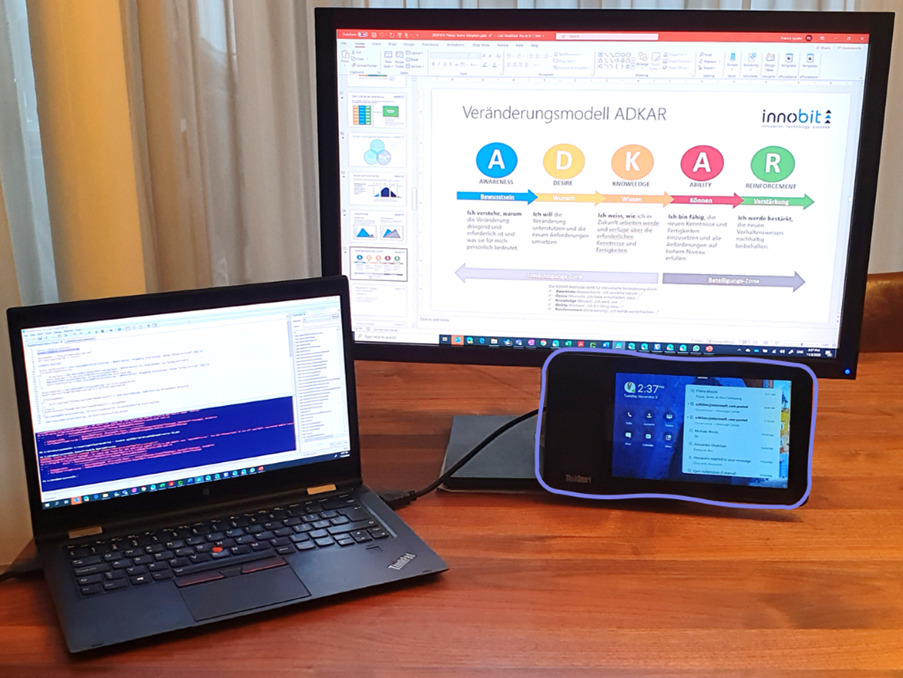


I am not the type of person who always needs the latest gadget.
Of course I like technology. When this mir potentially makes my life easier, improves me or makes me more efficient, then bring it on! Many technologyn only bring marginal benefitsso I look for real added value before I buy something.
Online meetings and chats are omnipresent in the businessworld and in the private sphere.
Numerous companies that until recently hardly or not at all used these options or offered them to their employees, partners and customers for communication have, are currently using them as a matter of course. Home Office is becoming the new normal and corresponding tools for collaboration and exchange are reaching peak usage levels.
Remote Work with MS Teams Display
COVID has enabled digital transformation in leaps and bounds in areas of the companythat had previously been successfully ignored or suppressed for years. One of the key elements of this is remote work and home officeto not only enable working from home but also to make collaboration, exchange and interaction with colleagues easily available.
Since April, online communication and collaboration has experienced a surge like never before. Microsoft has launched Microsoft Teams a a good 3 years ago an online service which the central requirements covered.
Both the internal and external online exchange takes place in companies via Microsoft Teams takes place. Teams has - and certainly for many others - Outlook
as most frequently most frequently used application during the day.
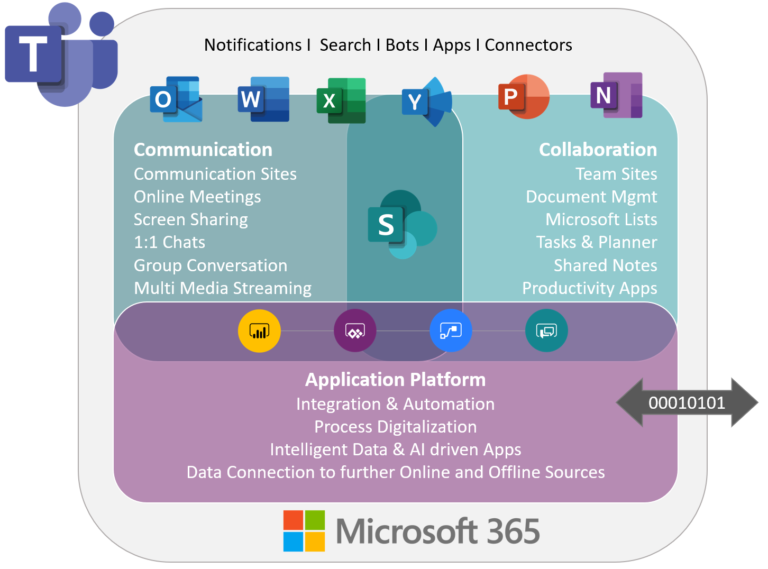
More and more applications and services are becoming part of the Teams service, Teams becomes a platform for digitization.
Divide et impera - divide and rule
Teams dominatet minen workplace and is at the center for the exchange of information. Teams quickly brings new functionality that helps us all collaborate and be more productive. It combines differente formerly separate tools into one centralized service: telephony, video conferencingOnline Collaboration, Group Conversation, Business notifications and much more.
In complex situations it helps to take a step back and get an overview of the situation, structure it and assess it. Breaking it down into digestible morsels gives you the chance to see clearly and master the situation successfully.
This approach has often helped me when I couldn't see the wood for the trees. Be it in the context of a project, a technical issue or in my private life.
And some sharing on your own personal digital workplace would be just now - in the so intensive home office time - very appropriatenehm and welcome?
Microsoft Teams Devices
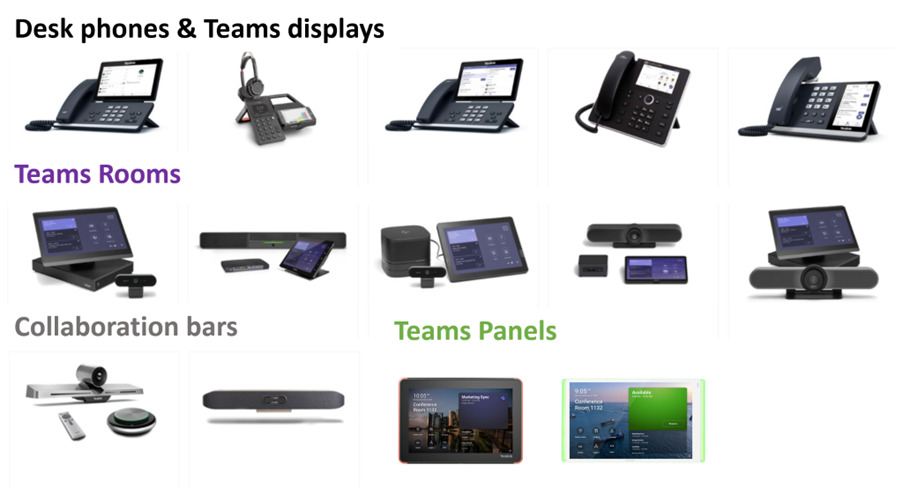
To further simplify communication and collaboration activities with Microsoft Teams, there is a constantly growing number of Teams Devicesthat address a wide range of needs. These range from
- Teams-optimized desktop phones
- Teams Displays (more on this in a moment)
- space-optimized Teams Room Sets
- Collaboration bars, all-in-one hardware for meeting rooms
- Teams PanelsEntrance displays with meeting room overview and availability
Here is a brief overview. More details here.
Microsoft Teams Display - the Personal Assistant
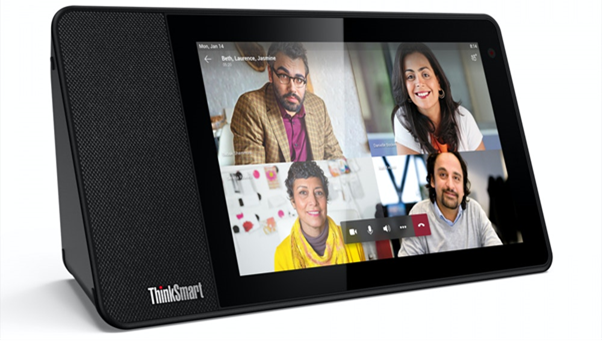
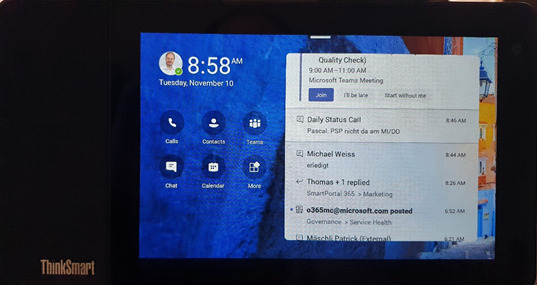
Microsoft has in the summer 2020 a launched a new category of devices, the so-called Teams Displays. The first Teams Display model is now available, the Lenovo ThinkSmart View. The retail price is just under 400 CHF. The device is always-on (without batterydirectly on the Storm) and wakes up as soon as a sensor detects movement in the immediate vicinity of the display. If it needs to be restarted, it reboots extremely quickly in under 10 seconds, Based on Android 8.1 AOSP operating system.
Further team displays will follow in the near future.
What is a Teams Display and how does it help me?
- A Next-generation intelligent Desktop Phone
- An autonomous, device fully geared towards the use of Microsoft Teams and the associated communication and collaboration options for personal-business use.
- State-of-the-artcompact all-in-one hardware for modern collaboration (camera, loudspeaker orBluetooth headsetmicrophone, touch screen, movement Sensors, Auto-rotate)
- Personalizable Always-on display with speciific teams views, teams Notfications and Display of upcoming meetings
- Besides touch also Voice control thanks to Cortana (currently only in the US Market)
Cooperates seamlessly with the main device (e.g. laptop)
- Thanks to the Companion Mode, you can connect to the connected to the desktop in the same Teams session can be (e.g. as extended screen)
- connected via Connect, the Teams display is automatically started and locked when the main device does so
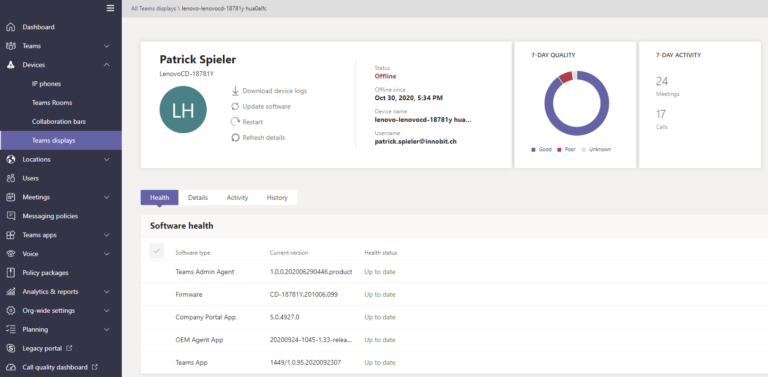
Enterprise ready: The management of the team displays is done centrally via the Microsoft Teams Admin. Updates are controlled via policies, the devices are secured (among others pin lock) and updated. Authentication takes place as usual and secured via Azure Active Directory credentials.
Conclusion
and first practical experience with Microsoft Teams Displayteams is dominant and important for my work.
Thanks to the Teams display, I have been able to split up my communication needs successfully for several weeks now from my overloaded laptop.p and have been able to communicate via my attentive and smart helper.
I enjoy the newfound overview and relief on my screen. I also appreciate the headset Free phone calls with the best audio quality at home (or in the office via Bluetooth headset, for all those who don't have as much peace and quiet around them in the office and during remote work).
Another small tip: The firmware is regularly updated. It is worth actively checking for the latest release to push to benefit from the latest functionalities.
An absolute win for me. I won't give up my Team Display again!