Register now for the 14th Basel Technology Apéro on October 24!
The new Planner is a simple, collaborative and flexible task management solution powered by AI and integrated with Microsoft 365 products. From individual projects to team initiatives, the new Planner in Teams grows with your needs and can help you and your team sort through tasks and plans and accelerate results.
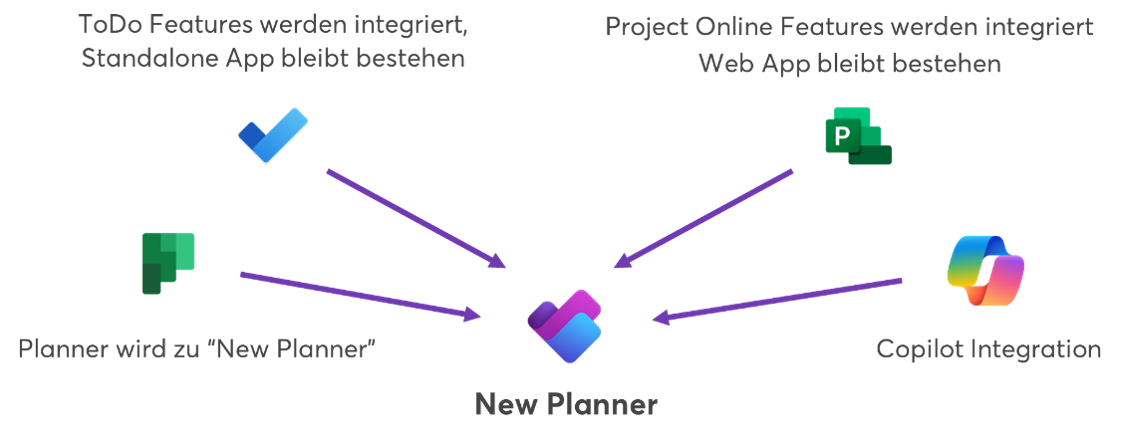
Microsoft combines the simplicity of To Do, the collaboration of Planner, the power of Project for the Web and the intelligence of Microsoft Copilot into a simple, familiar and unified experience that starts in Microsoft Teams.
What can the "New Planner" do?
1. all tasks in one place
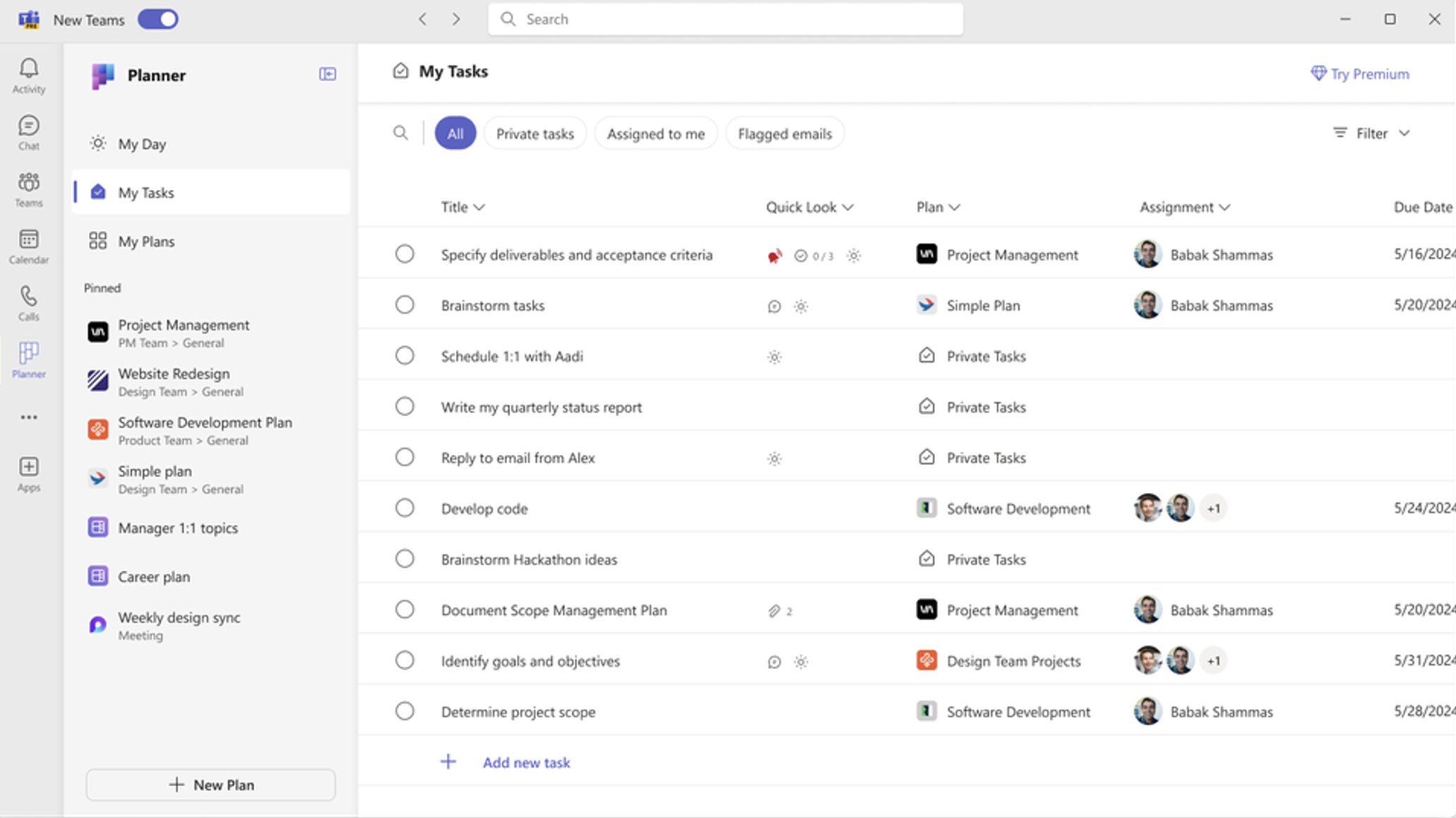
In the "My tasks" view, you can view and manage all your tasks in one place. Thanks to intuitive filter and search functions, you can quickly find the tasks that are most important to you. From basic and premium plans to tasks from Teams meeting notes and flagged emails - you'll find everything here.
You will notice that the user experience has been improved with a streamlined and accelerated navigation consisting of three main areas: "My Day", "My Tasks" and "My Plans".
3. all lists, plans and projects at a glance
With the new "My plans" view, you have all your plans and projects at a glance. Your previous task lists, planners and projects are now clearly arranged in a single collection, making it easier for you to find the most relevant and latest plans.
Do you have projects that are particularly close to your heart? No problem! With the new Microsoft Planner, you can pin your favorite plans to the left-hand navigation bar. This gives you quick access to the plans that are important to you.
5. more options with premium plans
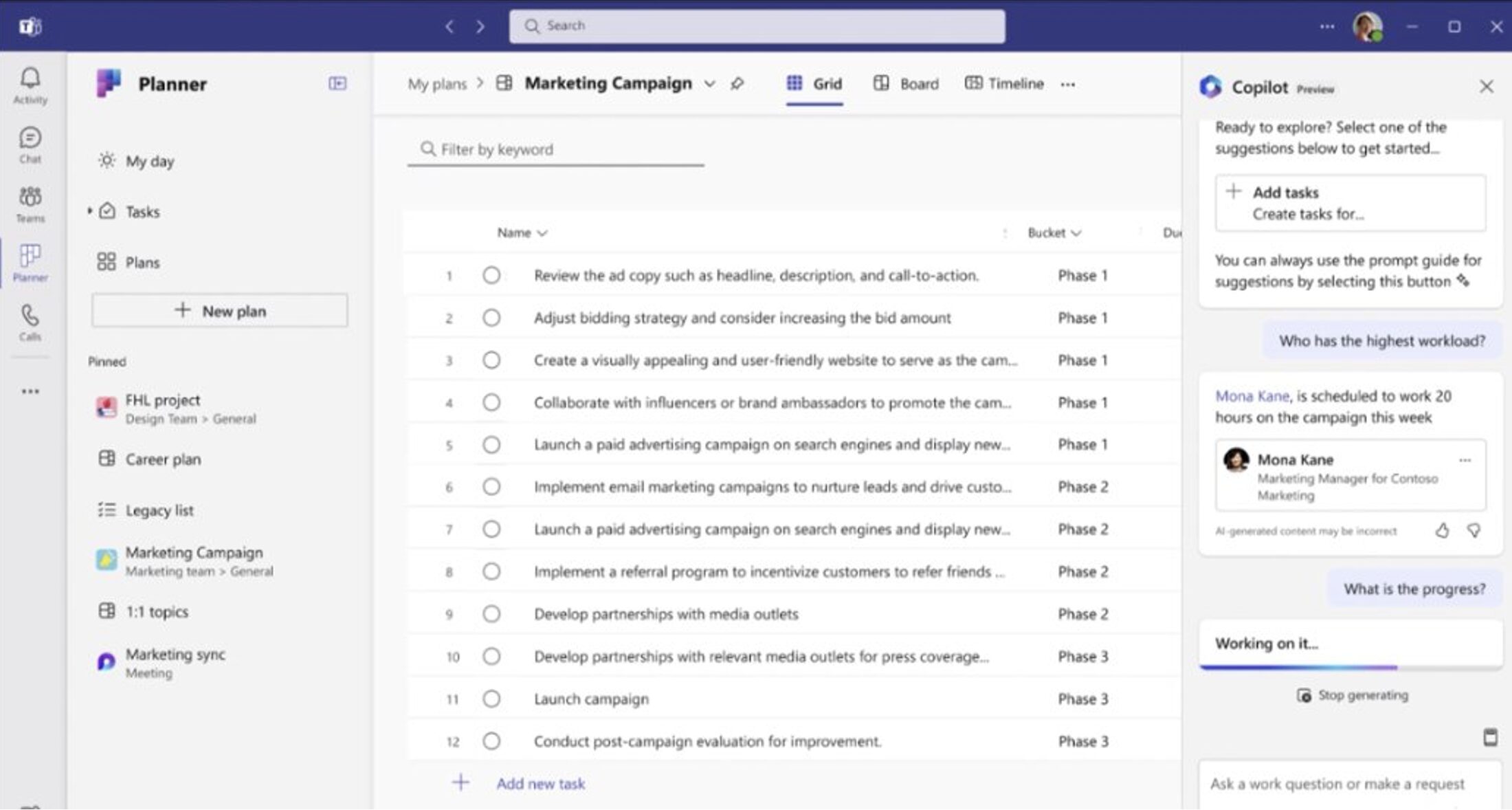
Discover the benefits of premium plans in the new Microsoft Planner. Start by creating a new plan and selecting one of the many available templates. You have the flexibility to either create new basic plans for your personal use that you can share later, or start directly with a premium plan. Premium plans offer a variety of great features such as sprint planning, goal view, people view, timeline view with dependencies, custom fields and much more. In addition, with a Premium plan you can use the new Copilot in the planner preview to simplify your work. The Copilot helps you to break down tasks into subtasks that are required to achieve the project goals and answers basic questions about the overall status of the project.
Here are some ways in which you can use the new Planner and get started right away
Create an inspiration board to capture the team's ideas for the next hackathon.
Create a plan to track your career goals, key priorities and specific learning and training tasks where you want to make progress.
Track the progress of your daily scrum sessions with a sprint planning board by using the integrated agile tools and aligning teamwork with the employee perspective.
Coordinate product releases with dependencies and evaluate the results during management.
The core information at a glance
Task & project management are combined, central point of contact for planning
SME - Enterprise (scalable)
Consolidation of existing services
License: included -> whoever uses Teams can use the new Planner - BUT: Premium features cost extra
New functions available soon
Microsoft will update the preview version regularly until it is generally available. You can therefore assume that further corrections and functions will be added in the coming days and weeks. Here are some key features that will be available soon:
The following blog posts may also be of interest to you.
10.05.2023
Are you planning to introduce Microsoft 365? Then you should also consider other important services and topics such as data protection, security, backup and automation in addition to Microsoft Teams. A clear governance strategy will help you do this. Find out how in this blog post.