

Congratulations! You have found one of the most informative series of articles on Microsoft Teams in German! If you were expecting a simple bullet point list, your expectations will be exceeded, because I have put together a lot more in-depth information for you.
You can focus on these topics in this multi-part series on "Microsoft Teams" to look forward to:
- How the "Hub for Teamwork" has developed in the first 2 years,
- What opportunities and challenges you encounter in the enterprise environment in customer projects and
- How these are addressed in a targeted manner.
In this third article, I will show you how you can overcome the business challenges of introducing Microsoft Teams in the area of structured creation of Microsoft Teams workspaces. Let's take a look at how the company "Think&Act" approaches the introduction of Microsoft Teams. In doing so, questions will arise that are certainly familiar to most people in connection with this topic:
But how can I as a company ensure that I don't end up in Microsoft Teams Nirvana? How can I consciously manage the rollout of new virtual teams while complying with company-relevant rules and requirements of governance and compliance guidelines?
As with similar challenges (including the creation of SharePoint SiteCollections for collaboration), the magic words, somewhat technically speaking, are "Self Service Dashboard", "Template Definition", "Request Form", "Provisioning", "Automation" and "Notifications".
The company "Think&Act" relies on a process that summarizes everything important from the self-service order to approval and creation. The user is guided and does not have to worry about which template is the right one for their use case.
How to create Microsoft Teams in a structured & efficient way
In practice, the process can look like this:
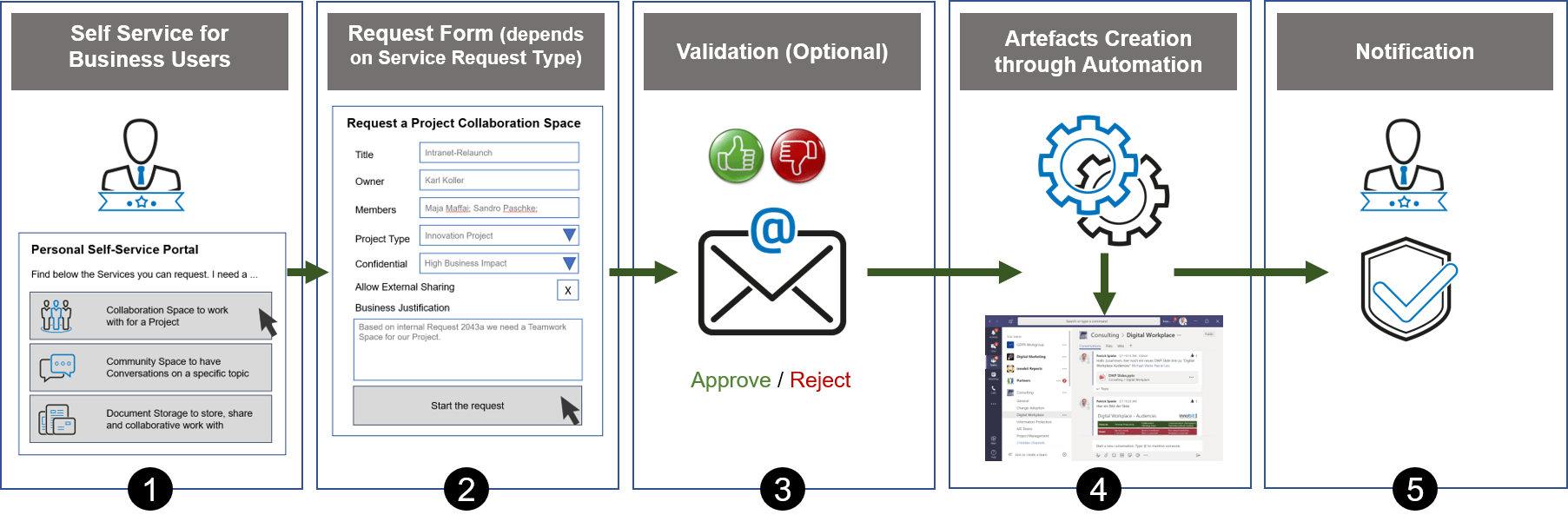
1. self-service portal for end users
The user starts the self-service portal. This is often prominently integrated into SharePoint as part of a central landing page (e.g. intranet start page). On the portal, the user has the option of displaying the available services
Such services are, for example
- Order project space (collaboration spaces for working together on a project)
- Order Community Spaces (to exchange information on a specific topic)
The services are listed in an understandable (non-technical) language for the user and can be displayed to him, for example, depending on his role.
2. simple application form
After selecting the desired service (e.g. ordering a "project room"), the user is prompted by a form to enter and select the data required for the service request. For a project room, this can be, for example, the title, project manager, project members, security classification and project type.
Once all the necessary data has been entered, the order can be triggered
3. application approval
Depending on the situation and requirements, approval by a central office is desired. This is informed about the request and can view the details of the request. After validation, the request is approved or rejected by the central office.
4. automated team creation
Once the request has been approved, the virtual workspace is automatically ordered based on the service definition and the template (don't miss it - you can find out more about this topic in one of the following articles). In our example, a corresponding Microsoft Teams is configured with predefined settings, members, channels and apps.
5. notification of the customer
Once the automated creation of the Microsoft Team has been completed, the customer (and possibly other people) is informed and the new project space can be used.
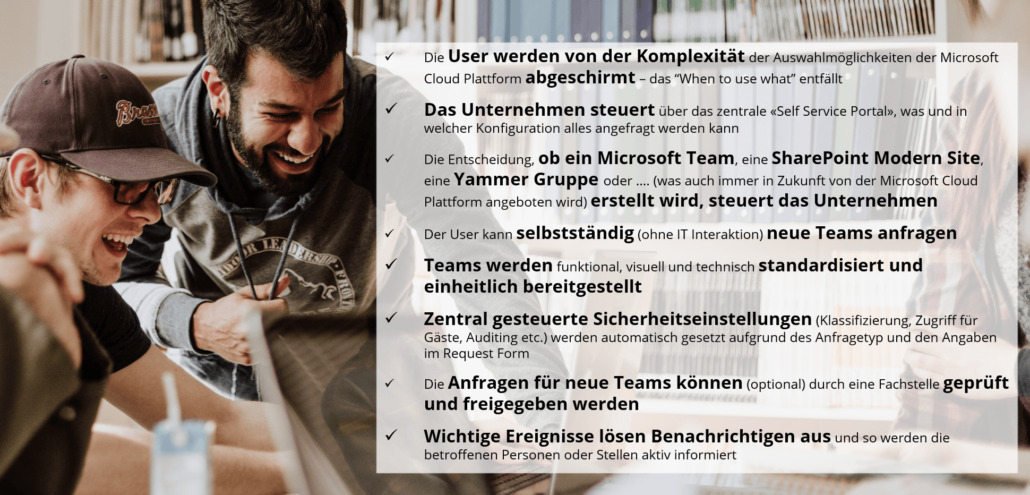
What are the advantages of this process for the "Think&Act" company?
There are good ways to counteract the Microsoft Teams nirvana
The process shown above is the right step to manage the creation of Microsoft Teams and to provide the tools for the user as well as for IT and ultimately the entire company to get started with Microsoft Teams without any worries.
In the following articles, we will go into more detail about managing the Microsoft Teams lifecycle, as well as topics such as templates, service definitions and the service portal. As you can see, it remains exciting!
Do you have any questions about Microsoft Teams? Are you looking for a suitable technical solution for the implementation of the process described? innobit offers suitable components.