


The prehistory
Skype for Business has also been used as a telephony solution for innobit in various versions for almost 10 years now. Due to the need for landline numbers from Switzerland, there was practically no other option than to operate the servers locally in our own infrastructure.
In 2019, Microsoft announced the end of Skype for Business - at least for use in Office 365. In addition, we will have to move our own infrastructure completely to the cloud and therefore replace all local solutions.
Why the switch?
We have been using Microsoft Teams since the very beginning. Thanks to extensions and integration options, it has become an increasingly central part of our daily work.
This naturally led to the desire to handle everything, including telephony, via Microsoft Teams - fully integrated with presence information and chat. Spurred on by the availability of a direct connection to Microsoft Teams (Teams Direct Routing) from various providers such as Swisscom, we decided to push ahead with the changeover. The big advantage is obvious: we no longer need our own infrastructure for this.
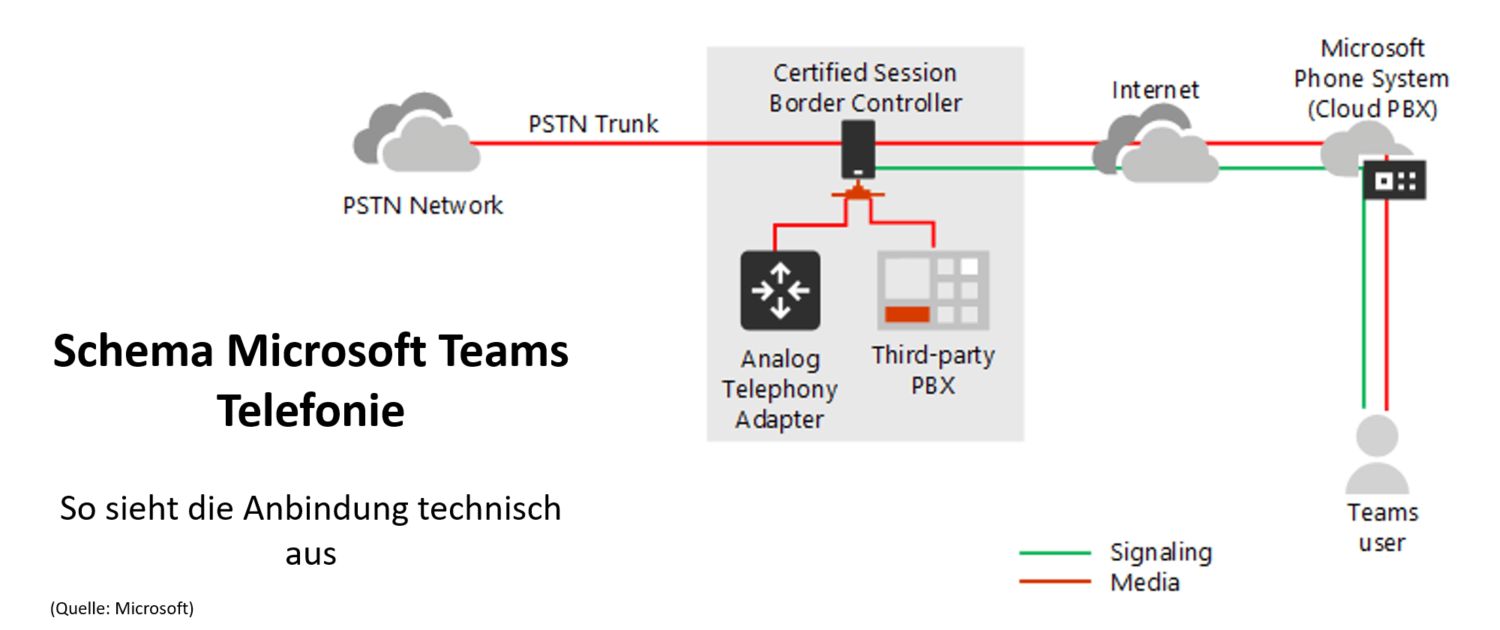
Preparations for the changeover
The basic requirement is a suitable Office 365 license, which is available as an add-on (Phone System) or as part of Office 365 E5.
The necessary interface to the local fixed network is the so-called Session Border Controller (SBC). This is usually provided in virtual form by the telephony provider or as hardware for your own data center. Telephone numbers for test and pilot can usually be switched individually (this depends on the structure of the environment).
This allows you to test and gain initial experience. First, the SBC provided is connected to your own Office 365 tenant. After the brief basic configuration, individual telephone numbers can already be ported to Teams.
The migration process from Skype for Business to Microsoft Teams
Basically, the actual changeover is quite simple. It just takes a little patience, as it can sometimes take hours for the phone number to be activated in Microsoft Teams.
The real challenge lies in the special features: How do I implement the central function? How do I implement service numbers with different participants? Do I need hardphones or devices in the meeting room that need to be connected to Microsoft Teams? Which functions are essential for me and can Microsoft Teams meet my needs?
Microsoft Teams is clearly inferior to the functional scope of a classic telephone system, but many things can be solved differently with a little rethinking. The easiest way to determine all of this is in a test / pilot phase.
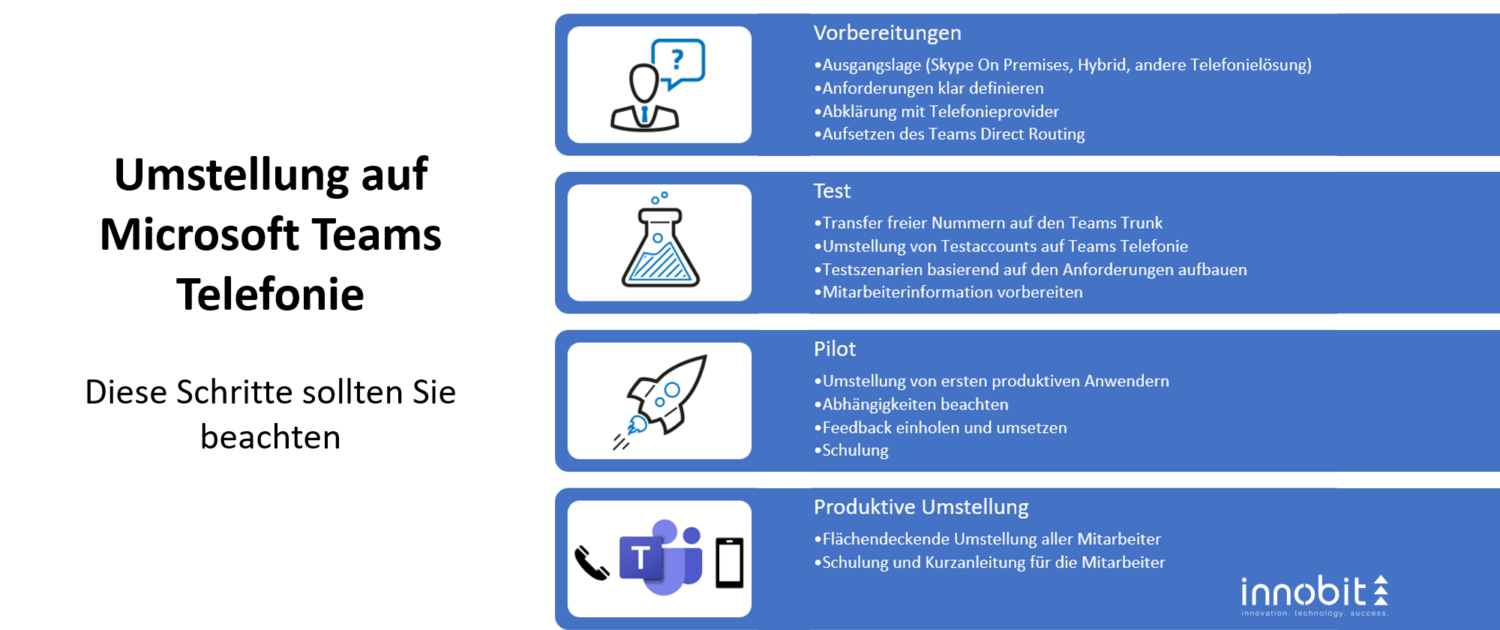
As an IT administrator, you can see that the effort involved in preparing and creating the necessary conditions for switching to telephony with Microsoft Teams is limited. However, you should have a strategy in place right from the start in order to creatively tackle details such as conference rooms and so on. In addition, there are of course the users who have to adapt to any new features.
This is precisely the topic we will address in the next part. Here you will find out more about the productive changeover for all our employees.
How far along are you on your journey with Microsoft Teams? Do you have questions about telephony? Get in touch with us.