


Requirements for the stress-free introduction of Microsoft Teams
You can currently download a Microsoft Teams Freemium version to introduce Teams to your company quickly and free of charge. You can use the Customer Success Kit to gather more information to help you get started.
However, before you start your migration project and switch to the cloud, you should think about a strategy and consider a few points. Think about the purpose of this migration and how Office 365 is to be used. As part of a governance strategy, one of the most important points is provisioning: who can request and create Teams and who can approve the creation of a Team when it is requested?
It is not only the application process that is important, but also usability. After all, if too many teams are created, chaos can quickly ensue and your employees will lose track of things. With so many teams, they will no longer know in which team what should be posted, where they can find the information they are looking for or they will no longer even know which teams exist.
In order to have a clear and organized structure in the future, you can use the right lifecycle management to determine how long a team should exist and when it can be deleted.
Read on to find out how you can approach these points.
The digital journey of Manor AG
Every company has its own ideas and requirements for its intranet and the digital workplace as a whole, and with a large workforce in particular, many interests have to be reconciled. Manor AG is a prime example of the provision of a modern work platform, which it is implementing with the help of AvePoint and innobit.
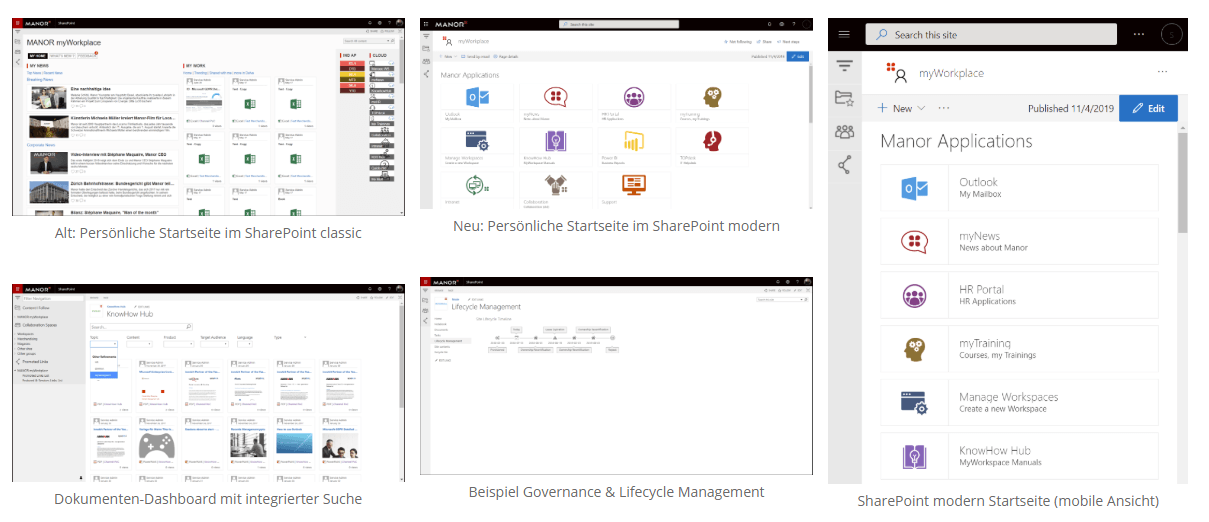
SharePoint has been used for document management and as an intranet since 2003. In 2017, the retail company started its journey to the cloud, initially for emails and collaboration. This was gradually expanded with the integration of peripheral systems and a cloud governance concept for the provisioning of SharePoint sites. The Microsoft Teams rollout began at the start of 2020 - with automated cloud governance for regulated administration.

What does that mean in concrete terms?
For Manor, cloud governance primarily involves structuring and defining rules for metadata due to the variety of use cases. For example, the owner is constantly reviewed by a team to ensure that there is always someone responsible for the team, even if an employee leaves the department or company. The roles and authorizations are defined so that, for example, templates can only be provisioned by IT managers. It is clearly defined which services can be used. Standardized functionalities also make the application easier to manage.
If it is not clear which template is suitable for a new team, an employee can submit a request directly in Microsoft Teams via AvePoint My Hub, which is evaluated by the intelligent system. An automated process can often direct the employee to the correct team without any additional work for the IT department.
In addition, new functions in Microsoft Teams or new templates are proactively tested in a test environment before they are released for ongoing operations. This is essential to avoid confusion and ensure a positive user experience (UX). In addition, there is a modern interface for intuitive use.
What other companies can learn from Manor
When it comes to intranet, digital workplace and, above all, Microsoft Teams, you should consider the following points in order to benefit from a modern working environment in the long term.
Variety of functions is both a blessing and a curse
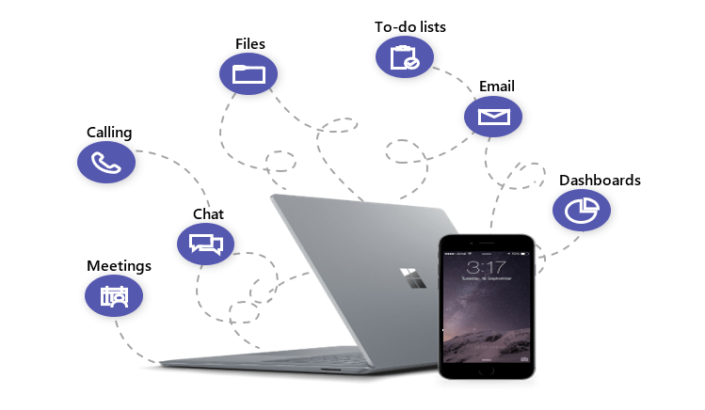
The aim of digital tools is often to make processes more efficient and to make employees' lives easier. The possibilities for this are almost inexhaustible. This is precisely the crux of the matter: users are often overwhelmed, which is why it is essential to drive digitalization in the company in a planned and forward-looking manner.
Define processes
Every possible use case in the company should be considered here in order to determine how, for example, new teams or data are released. Should a manager actively confirm a new team before it is provisioned? Or is an automatic scan with an alert to IT sufficient?
How is sensitive data handled? How can external partners or suppliers be integrated? What happens to data and teams when they are no longer actively used?
Roles & responsibilities
It should be clear which powers lie in which role and who is responsible in each case. This is not a new insight in the professional environment and yet this point is often overlooked, especially in relation to Microsoft Teams.
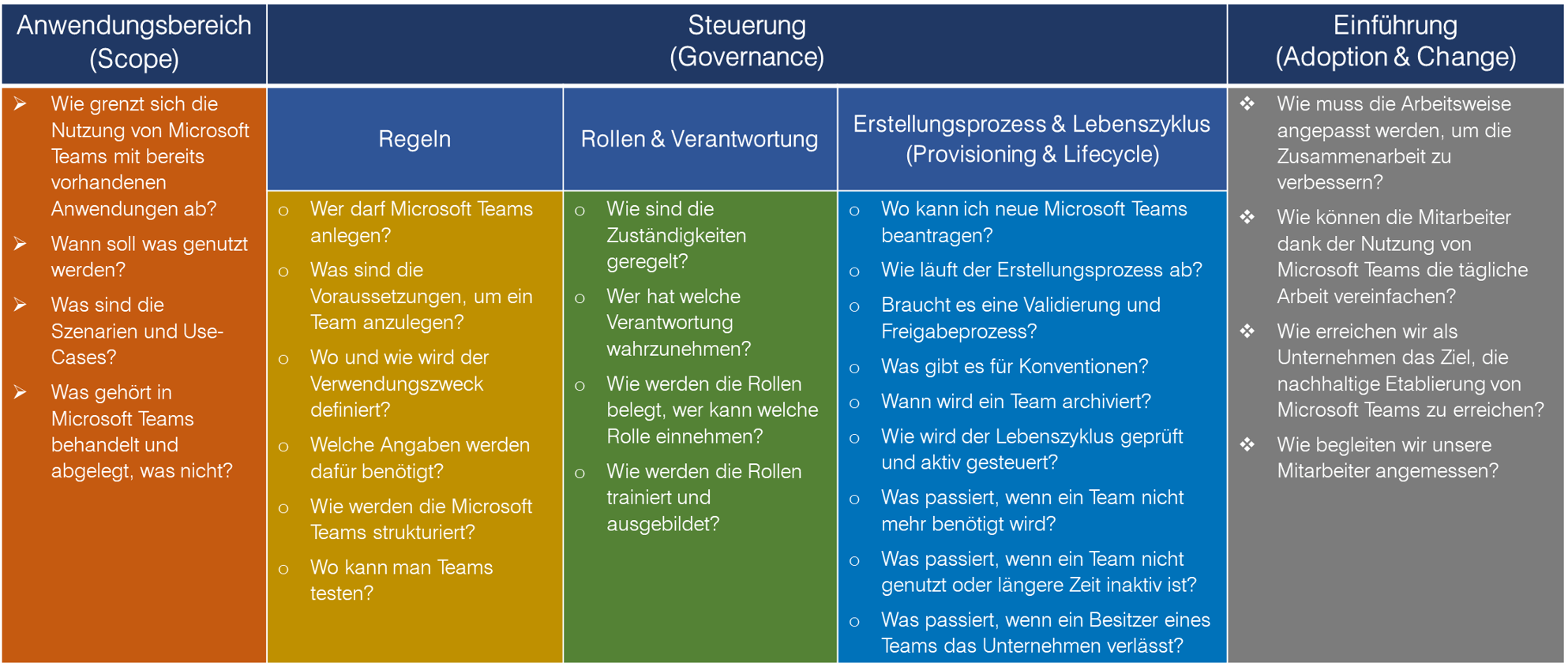
Define responsibilities to drive important topics forward, e.g. templates, training, change and adoption, platform management and keeping up to date with new features.
Classification of data
Sensitive content must be protected and so security and information protection are also highly relevant in Microsoft Teams. Classify your data to ensure that it is handled appropriately. How and where should which data be stored? When is it deleted or archived? What can be shared externally?
Teams can also be organized according to a similar classification. Icons and color codes that indicate the type of team (internal vs. external; confidential; project vs. workspace) are suitable for making a distinction easier.
Create clarity
Even the best concepts and regulations are null and void if they are not perceived or understood by those affected. We therefore recommend open communication, if possible as early as the development phase.
Make it clear what is offered and which tools are available for which purposes. This will help you avoid confusion and the emergence of shadow IT (third-party tools that are used uncontrollably in different teams). Also decide whether, for example, only Microsoft standard apps are used or whether personal apps are also enabled.
If you have established and implemented these points in your governance strategy, you will be a big step ahead of many companies. At the same time, you and your employees will benefit in the long term from a tidy and regulated environment in which it is fun to work.
How to relieve your IT team
Cloud governance not only offers you the opportunity to structure and organize your working environment, but also relieves your IT team.Self Service Enablement
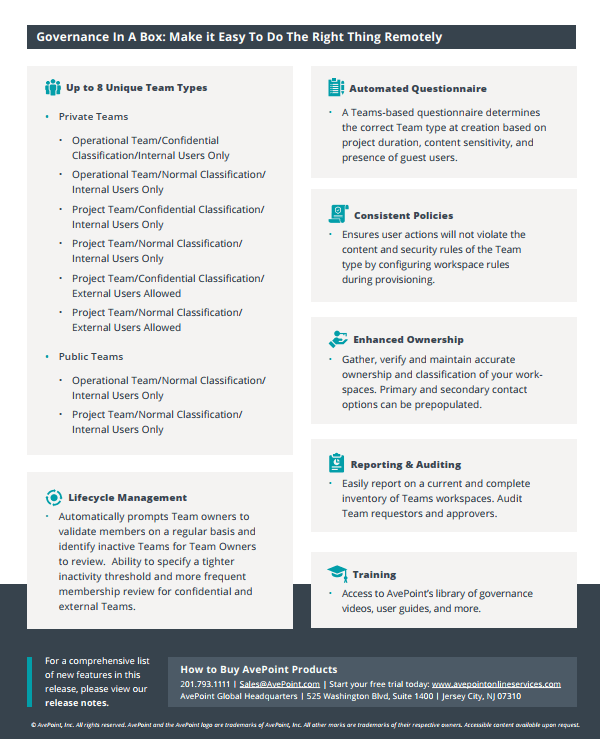
With the AvePoint Cloud Governance solution, you have the ability to provide your employees with a request within Teams. Using predefined templates, end users can easily create teams themselves when they need them, but this creation is done within policies that you and your organization set. An approval process allows you to determine when IT needs to intervene, for example to approve a request. By giving your end users as much responsibility as possible, you save IT a lot of time and increase their efficiency.
Ongoing governance
To keep teams up-to-date and relevant, we recommend that you manage the life cycle of a team. Automatically check whether the existing members in a team are still active users or whether, for example, external users who are no longer working on the project are included.
Managed scheduling and backup
The end of a team can also be initiated automatically. You can define your own rules, for example: Nothing has been posted in a team for three months. In such a case, it is likely that the team will no longer be used. The end of the team can either be initiated automatically or the owner can be asked whether the team is still needed. Thanks to a backup, you are protected if you discover that the team is needed again after it has been deleted.
Win-win for IT and end users
With cloud governance, you not only relieve your IT, but also your end users. Your IT team has fewer manual tasks, which means they are less distracted in their daily work. You also reduce the risk of errors through automation and additionally reduce the responsibility of the IT team.
In return, you increase acceptance among end users through templates and simple control. Automation ensures faster processes, which increases end user productivity.
How AvePoint and innobit support you on the way to the Modern Workplace
innobit & AvePoint Standard Teams Configuration
- Predefined Teams templates and self-service portal according to best practices
- Cloud Governance 2 months free of charge
- Security & compliance, data classification, definitions are included in the design
- Life Cycle Management, Reporting & Auditing
- Training and introduction for IT admins and power users/champions
- Fixed price offer